This week I've managed to code my game so that you can pick up, move, drop , place, re-position and re-grab nodes. this is good, and I'm very pleased. the next thing I need to do is implement "power"'; in order to do this I need some visual representation, and a source. I have been working on the source, but in order to test it I need more visual cues and space to see what I'm doing (like a player really).
I've started implementing the vertical scrolling which I was talking about in previous posts, it is a little more complicated than planned because the level currently expands from the centre vertically; whereas I need it to expand from the top-downwards. After I have this working I'll probably put a simple green/red light indication of power on the outputs/hubs to indicate What parts are powered or not.
Saturday, 29 December 2012

Friday, 21 December 2012
Re-Kindling
So I spent a lot of time on Monday talking to Chris about this Project the good news is I think we both know a lot more about my project. My main issues were mainly finding the best ways to complete certain areas, and generally how to link and manage large areas of the game.
I have quite a lot of stuff written on a piece of paper reminding me of things I have to do and why I am doing them (the 'why' aspect used to be missing out until I discovered I had a list of things to do, with no knowledge of why I was doing them). I Rushed and did quite a few of the things on my list a couple of days ago in order to strike while the iron was hot, it worked and now I am a LOT further forward with my project, and a little more enthusiastic too.
'Getters & Setters'
Most of my problems originated from the fact all of my objects didn't really know where they belonged and who their parents and family were (In a non coding term). To do this I just put in LOTS of 'getters' and 'setters' which are functions which basically get or set information about each-other.
Additionally I added an array to each hub which holds all of the objects which are connected to it from other hubs (basically, INCOMING connections). Chris mentioned that I may need Incoming and Outgoing connections, but so far, just incoming seems to be doing the trick.
But what does this all mean? Well, you can now pick up an output plug and drag it around the screen; you can right click to drop it, or click on an input socket of the same colour to connect it. You cannot connect an input with an output if they are situated on the same hub.
This is a lot of progress, but I still need to implement disconnecting or re-connecting inputs and outputs; additionally I also need to further explore the colour scripting aspect of the game (very limited at the moment).
I must not forget to add a starting and end hub; it is a major part of the game which I haven't done yet - yet it will lead on to correctly sorting out power transferral.
I have quite a lot of stuff written on a piece of paper reminding me of things I have to do and why I am doing them (the 'why' aspect used to be missing out until I discovered I had a list of things to do, with no knowledge of why I was doing them). I Rushed and did quite a few of the things on my list a couple of days ago in order to strike while the iron was hot, it worked and now I am a LOT further forward with my project, and a little more enthusiastic too.
'Getters & Setters'
Most of my problems originated from the fact all of my objects didn't really know where they belonged and who their parents and family were (In a non coding term). To do this I just put in LOTS of 'getters' and 'setters' which are functions which basically get or set information about each-other.
Additionally I added an array to each hub which holds all of the objects which are connected to it from other hubs (basically, INCOMING connections). Chris mentioned that I may need Incoming and Outgoing connections, but so far, just incoming seems to be doing the trick.
But what does this all mean? Well, you can now pick up an output plug and drag it around the screen; you can right click to drop it, or click on an input socket of the same colour to connect it. You cannot connect an input with an output if they are situated on the same hub.
This is a lot of progress, but I still need to implement disconnecting or re-connecting inputs and outputs; additionally I also need to further explore the colour scripting aspect of the game (very limited at the moment).
I must not forget to add a starting and end hub; it is a major part of the game which I haven't done yet - yet it will lead on to correctly sorting out power transferral.
Friday, 14 December 2012
Logic Hurdles
I've been having a lot of trouble the past couple of weeks trying to figure out how to take the steps I need to for the next part of my dissertation and what those steps need to be. It seems the current task I'm doing is the main one which ties everything together, and is much harder and more work than I originally planned. I did have a mental plan of how I was going to go about doing this task but it seems to have been blown out of the water from closer inspections and practical attempts to complete it. Anyway, I managed to get some "clicking and dragging" going, Which is a plus point, the downside is it is a very minor part of the task, and will possibly have to be changed dramatically when I figure out how to complete the next steps. I have arranged a meeting with Chris on Monday to try and get to the bottom of this problem and hopefully get me set up for the Christmas break so I don't have any major barriers getting in the way of my tech-demo.
Meanwhile I am using my time to get further ahead in other projects while I'm having trouble with this.
Meanwhile I am using my time to get further ahead in other projects while I'm having trouble with this.
Saturday, 1 December 2012
Scrolling
I found some time to get some of the scrolling done in my game - It took a little less time than I expected actually, but overall after researching about "Delta time" (A Way of making game frame-rate independent ) it took about roughly the same amount I expected. I may not the deltatime function much in my current project, but it is A very useful steppingstone for other projects/unexpected areas.
Anyway, I added some script which allows the camera to scroll left and right when the mouse is near the edge of the screen (only if there is level content to see there though). I have an additional up and down scrolling version which is //*commented out*// just in case my game or level design needs extra height in the future (it will need some work, but it's nice to plan ahead).
While creating the scrolling, I found I needed to do another task which was add and resize the background based on the level length. I had already made some background creation code for a basic background so I just had to spend some time neatening it up, and changing it slightly so I could plug in length values. If I do decide to add additional vertical scrolling I will have to change the background code slightly, but the main thing is that I know this is possible, even if it will take a little longer than the additional up and down scrolling by itself.
I also Added a lamp to the camera. It was a spur of the moment thing, but it's quite an amazing effect as scrolling now changes the lighting and shadows of the scene. I may change this to a spotlight depending on how much range/brightness of the lighting I need.
Because I finished these tasks (and I was trying to be productive while I had the motivation), I started work on the "Activation of hubs" task. It is nowhere near finished, but basically what I did was add a check to the hubs. "If all of the inputs are active, set all of the outputs to active, otherwise, set all of the outputs to inactive". It's a simple rule, using variables that are not yet affected by anything, but it should stand strong through development.
I would show this scrolling and background but Unfortunately I don't know how to embed or link to my unity game on here (and pictures would show nothing more than last week). (if anyone knows how to do that, let me know).
My next task will most likely be the addition of plugs, and the dragging of them. I'm not entirely sure of the best way to do this (as most of my time is figuring out the best way to do something, rather than coding it) so I may ask for Chris' input at some point if I don't get a good idea.
While thinking up how to do the above, I thought about how you may eventually be able to connect a hub to itself (because I think insanely far ahead). May cause a major problem but It will give me another problem to think about overcoming eventually.
Anyway, I added some script which allows the camera to scroll left and right when the mouse is near the edge of the screen (only if there is level content to see there though). I have an additional up and down scrolling version which is //*commented out*// just in case my game or level design needs extra height in the future (it will need some work, but it's nice to plan ahead).
While creating the scrolling, I found I needed to do another task which was add and resize the background based on the level length. I had already made some background creation code for a basic background so I just had to spend some time neatening it up, and changing it slightly so I could plug in length values. If I do decide to add additional vertical scrolling I will have to change the background code slightly, but the main thing is that I know this is possible, even if it will take a little longer than the additional up and down scrolling by itself.
I also Added a lamp to the camera. It was a spur of the moment thing, but it's quite an amazing effect as scrolling now changes the lighting and shadows of the scene. I may change this to a spotlight depending on how much range/brightness of the lighting I need.
Because I finished these tasks (and I was trying to be productive while I had the motivation), I started work on the "Activation of hubs" task. It is nowhere near finished, but basically what I did was add a check to the hubs. "If all of the inputs are active, set all of the outputs to active, otherwise, set all of the outputs to inactive". It's a simple rule, using variables that are not yet affected by anything, but it should stand strong through development.
I would show this scrolling and background but Unfortunately I don't know how to embed or link to my unity game on here (and pictures would show nothing more than last week). (if anyone knows how to do that, let me know).
My next task will most likely be the addition of plugs, and the dragging of them. I'm not entirely sure of the best way to do this (as most of my time is figuring out the best way to do something, rather than coding it) so I may ask for Chris' input at some point if I don't get a good idea.
While thinking up how to do the above, I thought about how you may eventually be able to connect a hub to itself (because I think insanely far ahead). May cause a major problem but It will give me another problem to think about overcoming eventually.
Wednesday, 28 November 2012
Timeline Revisions
Due to proposal feedback and general progressions in this module, I thought I would update the timeline to be more accurate; Don't worry, it's the same game and everything.
The idea now is to get a working prototype (even if it isn't very game-like) out during, or by the end of the Christmas break. (7-11 Jan) (sort of like a sprint, but just methodically researching/getting stuff done)
This will include:
The idea now is to get a working prototype (even if it isn't very game-like) out during, or by the end of the Christmas break. (7-11 Jan) (sort of like a sprint, but just methodically researching/getting stuff done)
This will include:
- Dynamically spawning hubs (looks 'done', but will probably need quite a bit of work to include different versions and being able to access them from lists during play)
- Game-state/level system (started, ongoing, but I would say would be classed as done when I have level loading, restarting, and finishing completed)
- Background (I'm hoping to get this done by the end of the week; will include background which size is auto set depending on level layout, and scrolling when at the edge of the screen)
- Clicking, dragging and locking of plugs (eventually I want there to be a wire from the plug, but it's not a priority in order to test the mechanics.)
- Activation of hubs (basically players using powered plugs to turn on other hubs)
These should be in order in which I plan to do them too (and probably actually, in order of complexity). The above tasks should allow me to have a prototype and start testing.
I decided to remove menus and optional HUD items such as inventory out of the tasks for now in order to get the core of the game out.
The main part of the game to make it more of a puzzle game however will be implementing coloured inputs and outputs; it should really change it from a "connect a to b" game to a thought invoking task. I know, due to it's complexity I will not be able to get it completely done by the end of the Christmas break but it is on my methodical backlog for when I do finish the above (hopefully earlier than planned).
Saturday, 24 November 2012
Modelling and Saving Polygons Part 1
I'm going to split this into sections, I can't bare saving this as a draft over and over again for months trying to complete it, and never getting around to it.
Anyway, A lot of people are always asking about creating low polygon objects which look good; I'd like to think I know a bit about doing this as I spent a long part of my younger nerdy life making model and object mods for the game Rollercoaster Tycoon 3. This is a proper old-school 3D game compared to most games these days; to the extent that any number of polygons saved could be a major lag-saver (due to the grid-spamming mechanics). I'm pretty sure I once made a chair of around 10 polygons... That's how military it got.
Disclaimer/Info
For a start I'm going to be teaching you wrongly. When I refer to a "Polygon" in this text (and in life) I'm ACTUALLY referring to a "tri"(triangle). A REAL polygon is an 'n-sided shape' (basically any shape with any number of sides). When I used to model, tri's and polygons were practically the same thing because EVERYTHING was split into tri's, and therefore, calling them the same thing didn't matter too much. These days you an get quads and upwards - I'm not sure if they are still calculated and split into tris, but it shouldn't matter too much because less polygons = less tris = more efficient.

Do you want to know how many tris your model has compared to polygons? Open up editable polygon mode, select ALL the vertices and press "connect" if your model is the only thing in the scene, the counter (found by pressing "7") will display the tris rather than polygons, this is often messy so you might want undo straight after you've looked.
Anyway, few tips and tricks;
How Round?!
Usually people over-estimate the amount of sides that they need on an object; I would say considerately so. The general rule I use is that you shouldn't generally use more than 12 sides on most objects - some exceptions occur if it is a large object or a object of particular speciality, but in general, it's a good rule.
A good thing to know is often an odd number of sides is less noticeable than even numbers at low side counts - and can completely change the look of something. Even a smoothed 4-sided cylinder looks square, but change it to 5-sides and it can look twice as round.
Making Ends Meet
Do you need the ends, bottom or top of your object/sub object? Generally you don't need the bottom if it is on the floor, or the back if it is against a wall; simply taking the ends off things can take 8-12 polygons off at once (usually minimum). Do you really need a cube for a wall? If you use a plane instead you will cut the polygons by 83%. (especially good if it is repeated throughout a level).
Laziness
Remember you can change the values of everything when adding a primitive - and you should - normally things like cylinders have 5 height segments - You never usually need that many, like, ever. The best way to model is to have the lowest possible and add as needed, rather than trying to take stuff away after you've made it look good. remember if something is repeated, just a few polygons or tris saved will add up exponentially.
Texturing/Detail
Some things to bear in mind when modelling ready for textures;

Anyway, A lot of people are always asking about creating low polygon objects which look good; I'd like to think I know a bit about doing this as I spent a long part of my younger nerdy life making model and object mods for the game Rollercoaster Tycoon 3. This is a proper old-school 3D game compared to most games these days; to the extent that any number of polygons saved could be a major lag-saver (due to the grid-spamming mechanics). I'm pretty sure I once made a chair of around 10 polygons... That's how military it got.
Disclaimer/Info
For a start I'm going to be teaching you wrongly. When I refer to a "Polygon" in this text (and in life) I'm ACTUALLY referring to a "tri"(triangle). A REAL polygon is an 'n-sided shape' (basically any shape with any number of sides). When I used to model, tri's and polygons were practically the same thing because EVERYTHING was split into tri's, and therefore, calling them the same thing didn't matter too much. These days you an get quads and upwards - I'm not sure if they are still calculated and split into tris, but it shouldn't matter too much because less polygons = less tris = more efficient.

Do you want to know how many tris your model has compared to polygons? Open up editable polygon mode, select ALL the vertices and press "connect" if your model is the only thing in the scene, the counter (found by pressing "7") will display the tris rather than polygons, this is often messy so you might want undo straight after you've looked.
Anyway, few tips and tricks;
How Round?!
Usually people over-estimate the amount of sides that they need on an object; I would say considerately so. The general rule I use is that you shouldn't generally use more than 12 sides on most objects - some exceptions occur if it is a large object or a object of particular speciality, but in general, it's a good rule.
A good thing to know is often an odd number of sides is less noticeable than even numbers at low side counts - and can completely change the look of something. Even a smoothed 4-sided cylinder looks square, but change it to 5-sides and it can look twice as round.
Making Ends Meet
Do you need the ends, bottom or top of your object/sub object? Generally you don't need the bottom if it is on the floor, or the back if it is against a wall; simply taking the ends off things can take 8-12 polygons off at once (usually minimum). Do you really need a cube for a wall? If you use a plane instead you will cut the polygons by 83%. (especially good if it is repeated throughout a level).
Laziness
Remember you can change the values of everything when adding a primitive - and you should - normally things like cylinders have 5 height segments - You never usually need that many, like, ever. The best way to model is to have the lowest possible and add as needed, rather than trying to take stuff away after you've made it look good. remember if something is repeated, just a few polygons or tris saved will add up exponentially.
Texturing/Detail
Some things to bear in mind when modelling ready for textures;
- When you can, use Cut-out alphas or mask textures - they require less processing than transparencies; a cut-out or mask just doesn't render the parts you tell it not to, whereas a transparency does some weird merge and calculation and then changes the colours of the original texture to simulate transparency.
- Although transparencies require a bit more processing, they are still useful - don't be scared of using them instead of loads of polygons.
- Generally it's very good idea to convert polygon-detail to texture detail, but there is a cut-off point in which doing so becomes counter-productive; so don't start removing 5 polygons and replacing it with a 1024x1024 texture.
Polygon sandwiches are not very tasty, but they are very useful;
 |
| Sometimes this displays weird, ignore it if it does for you... |
What's different about these tyres? Well, the rubbish mock-up textures are the same, they are the same resolution (too high, could be reduced) and they are both lit very badly, also, they were both made by me in about 10 minutes. The difference is that the tyre on the left is 68 tris, and the tyre on the right is 38 tris.
I would personally say that the tyre on the right looks more round, but the fact it saves 30 tris per wheel is awesome (540 tris saved on an 18-wheeler!). Why are they so different? The tyre on the left is a mapped cylinder, the tyre on the right is a cylinder with the front and back removed, and the front replaced with a plane; the alpha texture simply cuts around the wheel making it from square to round. (seen below). Really, it's a half sandwich because I didn't put a plane at the back, but who needs a plane if it is always under a vehicle?!

The wheel actually has 18 sides, You could probably get away with 12... So I went against what I already said a bit already.
Replacing parts with alpha textures works with loads of things, you just have to dream it up; buttons on a control panel could be made to look raised by just having an alpha plane raised slightly higher than the desk for instance.
I'm going to cut this short, but beware more parts. Hope this was a little useful. (little because of not-finished-ness)
Friday, 23 November 2012
All of the angles
It's really hard to show progress from coding projects - simply because hours of work might just result in a different position a colour change or something you can't see, But here is what I have achieved this week with my project;
 Spawning: I can spawn hubs (centre circular thing) in any position on the screen. I can also have different combinations for different levels.
By changing the type of the hub, I can also spawn any number of inputs and outputs (sticky-out bits on the left and right sides) which are then automatically spread evenly around the sides.
I also have a level system, in which I can specify the level number, or the game state (main menu, level select, main game, whatever else).
I came up with quite a few problems with using unity to do these things; one of the main things was how arrays work; it required me to have a major read-up on the types (more than one) of arrays and their uses HERE (and in my books). I actually ended up using a Vector4 as a mini-array for storing integer information, it ended up being more compact and easy than proper 2D arrays (array inside an array).
Here are some functions which I made (No use posting tonnes of code, but these are the critical parts
I think I'll skip the inventory for now and concentrate on getting connections between function boxes available (and start and end points of course).

By changing the type of the hub, I can also spawn any number of inputs and outputs (sticky-out bits on the left and right sides) which are then automatically spread evenly around the sides.
I also have a level system, in which I can specify the level number, or the game state (main menu, level select, main game, whatever else).
I came up with quite a few problems with using unity to do these things; one of the main things was how arrays work; it required me to have a major read-up on the types (more than one) of arrays and their uses HERE (and in my books). I actually ended up using a Vector4 as a mini-array for storing integer information, it ended up being more compact and easy than proper 2D arrays (array inside an array).
Here are some functions which I made (No use posting tonnes of code, but these are the critical parts
 |
| The function which specifies level contents. |
 |
| Function which creates the type of function box based on pre sets and the input that is given (must remember to have a "0" colour which means "doesn't matter"). |
 |
| Function which rotates the inputs and outputs based on how many of each there are. |
I think I'll skip the inventory for now and concentrate on getting connections between function boxes available (and start and end points of course).
Tuesday, 13 November 2012
Plotting
Today I'm trying to get the mechanics nailed down further; I've decided to use colours as a baseline to work from, and have thought up some types of function boxes and how they'll work/interact;
First problem was choosing types of colours; I actually had to read more here and here

Functions:
First problem was choosing types of colours; I actually had to read more here and here

Functions:
- Desaturate: Colour to white
- Hue add: white to (prev set) colour
- Join: multiple to one (same colour)
- Split: one to multiple (same colour)
- Prism: white to six colours
- Primary Split: white to RGB
- Primary Mix: mix two primary for secondary eg R+G = Y;
- Prism mix: mix all six colours to white.
- Possible Hue "shift": every input above central input cycles colour once one way, and every one added below cycles one the other ?
Anyway, a lot of them I already planned and/or thought about, However, I also made a display list, trying to decide what I need to display on the function boxes in order for the player to know what they are, what to do and how they work better (minus tutorials). This is mainly because I'm planning to model the function boxes soon, and will hep me know what I have to include in the design.
Things need to display:
On Function boxes:
- The function type (icon or name)
- Colour of each input needed (s)
- Whether current input is correct
- expected Colour of output(s)
- Whether output(s) are on.
On Wires/Plugs:
Possible that wires might need to be colour coded
That is all.
Saturday, 10 November 2012
Making A Start
Today I spent quite a while starting my project; It may not sound like much but I made a script which dynamically creates a background, applies a texture and maps it so that it is uniformly applied (whatever the width may be); I currently have it working on the main menu, just as a test - but the idea is it will mainly be used to set the length of levels.
Also, what with planning ahead, I read up on Player preferences in a few of the books I got; I will need them for a lot of things, but the more pressing use will be for storing and retrieving information on what levels are available/done/complete. It turns out player preferences are very similar to storing information in as3, the only difference is that in as3 you can store anything; opposed to the text and numbers allowed in Unity.
Fortunately, after a little rooting around I found a script which allows loads of extra types of data being able to be saved in unity, it basically converts it from whatever it is into strings and back again; I was planning on writing something similar myself, but It is a lot less time consuming now I have found this, I can just get on to compiling stuff.
all said and done, Coding in unity and trying to figure out how everything interacts is currently insanely hard for me - Just a culture shock I imagine.
Also, what with planning ahead, I read up on Player preferences in a few of the books I got; I will need them for a lot of things, but the more pressing use will be for storing and retrieving information on what levels are available/done/complete. It turns out player preferences are very similar to storing information in as3, the only difference is that in as3 you can store anything; opposed to the text and numbers allowed in Unity.
Fortunately, after a little rooting around I found a script which allows loads of extra types of data being able to be saved in unity, it basically converts it from whatever it is into strings and back again; I was planning on writing something similar myself, but It is a lot less time consuming now I have found this, I can just get on to compiling stuff.
all said and done, Coding in unity and trying to figure out how everything interacts is currently insanely hard for me - Just a culture shock I imagine.
Friday, 2 November 2012
Project Proposal V1.0
Hello, this is the first iteration of my project proposal; I'm hoping for some feedback on it - my main concerns are whether the brief outline of work section is anywhere near the right lines of what I'm supposed to be doing, and what I have to do for project timeline and milestone deliverables (and how to go about doing it. Additionally, any info on getting it to 1+ grade would be awesome =P
Dissertation: Project Proposal
Deepening Scripting Knowledge Through Unity Game Development.
Brief Outline of Work
Brathwaite, B., Schreiber, I., 2008.Challenges for Games Designers. Delmar Publishing.
This book covers everything to do with creating and designing a game; Because my game will be a puzzle based game I will definitely need chapter 3. Chapter 11 may also be a good use. The chances are I will inadvertently draw or reference this book due to the sheer amount of time we have been studying/using it.
Trefry, G., 2010.Casual Games Design. CRC Press.
This book mainly covers the question "What is fun?" and different mechanics/playful activities which help achieve this. I have a good idea that I will be using matching and construction playful mechanics in my project, so these chapters will be of great use, although it is quite possible I will strafe into other parts of the book.
Adams, E. (2011) Gamasutra,The Designer's Notebook: Eight Ways To Make a Bad Tutorial [Online] Available at: <http://www.gamasutra.com/view/feature/134774/the_designers_notebook_eight_.php?> [Accessed: 31 October 2012].
I plan to do a game which gently eases players into several retentively new mechanics, progressing in difficulty; people always seem deluded that a good tutorial is an easy thing to do, but it clearly it isn't that easy judging by all of the games I've played in the past. This reading should be a good guide for doing a good tutorial; or at least what not to put in a tutorial; which is a good start.
Filter Forge, 2012. Filter Editor. [online] Available at: <http://www.filterforge.com/features/editor.html > [Accessed 1 November 2012 ].
This may be a strange entry, but it will be of great use to me (well, the program at least) I'm not interested in the function of the program (creating textures and picture effects), but how they have made an easy to use Node editor, and the different functions that are available to add (to modify for the game).
Dissertation: Project Proposal
Deepening Scripting Knowledge Through Unity Game Development.
Brief Outline of Work
In this Dissertation project I hope to deepen my knowledge of scripting; to do this I plan on making a 2D puzzle game using Unity. The game will revolve around a central "connect point a to point b" mechanic, using a variety of connecting functions, obstacles and connection requirements in order to create a puzzle. In doing so I hope to cover the following issues in order to deepen my knowledge in code.
During the duration of this course so far I have learnt many new things; how to write Actionscript, how to model, manage, animate and design. Due to the nature of the course there is usually only time to learn the basics of these areas of the games design pipeline, Until now. By far the most successful, interesting and rewarding area of my studies has been scripting, so it makes sense to carry on with this area of work. My scripting knowledge is not yet that refined, or deep as I would like, or need. I have decided that for my dissertation I shall deepen my knowledge and understanding in scripting by working by developing a game in Unity, which uses new and different scripting languages. The reason for doing this is that coders are often highly desirable in the games design industry, simply for their lack of numbers; knowing more and being able to adapt will help me become more desirable in the industry. The added bonus of creating a game in Unity is that Unity is becoming more and more popular in terms of online gaming, and additionally, using it also opens up many doors between different platforms of gaming; This both helps me become more desirable to potential employers, and enables me to reach a wider market for any games that I make. My proposal is based on a concept which I am new to, and which any games I've seen with similar mechanics haven't pulled off very well (or taken to its full potential); although It is not my primary aim, using knowledge I'm gaining through readings and the course in general should enable me to complete this task to its full potential.
Annotated Bibliography
Goldstone,W., 2009. Unity Game Development Essentials. Packt Publishing.
This book looks very useful as it covers all aspects of Unity in good detail. HUD creation and object collection in chapter 5, particle systems in chapter seven... Actually, Yeah; I am definitely going to read through large parts of this book as I believe it provides a good groundwork of some of the main aspects of unity I may not know so much about.
Additionally, while Googling for the picture on the left, I found an Ebook called "Unity 3.x Game Development Essentials" by the same person. From what I've read, it seems to be an updated and expanded version of the book for the newer versions of unity.
See also: Goldstone,W., 2011. Unity 3.x Game Development Essentials. Packt Publishing.
Mernard, M., 2011. Game Development with Unity. Course Technology PTR.
This book is very good as it covers making games in unity as a whole; this means it goes from concept, to working around unity, scripting, UI, particles, music and more. I may not need some early chapters in the book, but I have a feeling I will need most of the later chapters as it covers more complicated parts of the Unity program.
- Use of Javascript/C#;
- Using Unity as a 2D game engine (for a high percentage of the time);
- How to create/use a base class;
- Loading/cycling levels;
- Creating objects dynamically;
- Adding/ controlling objects inside other objects dynamically;
- Dynamically creating physics based objects;
- Subclasses;
- Object dragging/dropping/snapping(mouse);
- Transferral/removal of information through connected of objects;
- Battle/Removal of infinite loops;
- UI/menus;
- Scrolling;
- Dynamic Control of lighting/objects;
- Pre-loaders/Sub-loaders;
During the duration of this course so far I have learnt many new things; how to write Actionscript, how to model, manage, animate and design. Due to the nature of the course there is usually only time to learn the basics of these areas of the games design pipeline, Until now. By far the most successful, interesting and rewarding area of my studies has been scripting, so it makes sense to carry on with this area of work. My scripting knowledge is not yet that refined, or deep as I would like, or need. I have decided that for my dissertation I shall deepen my knowledge and understanding in scripting by working by developing a game in Unity, which uses new and different scripting languages. The reason for doing this is that coders are often highly desirable in the games design industry, simply for their lack of numbers; knowing more and being able to adapt will help me become more desirable in the industry. The added bonus of creating a game in Unity is that Unity is becoming more and more popular in terms of online gaming, and additionally, using it also opens up many doors between different platforms of gaming; This both helps me become more desirable to potential employers, and enables me to reach a wider market for any games that I make. My proposal is based on a concept which I am new to, and which any games I've seen with similar mechanics haven't pulled off very well (or taken to its full potential); although It is not my primary aim, using knowledge I'm gaining through readings and the course in general should enable me to complete this task to its full potential.
Annotated Bibliography
Goldstone,W., 2009. Unity Game Development Essentials. Packt Publishing.
This book looks very useful as it covers all aspects of Unity in good detail. HUD creation and object collection in chapter 5, particle systems in chapter seven... Actually, Yeah; I am definitely going to read through large parts of this book as I believe it provides a good groundwork of some of the main aspects of unity I may not know so much about.
Additionally, while Googling for the picture on the left, I found an Ebook called "Unity 3.x Game Development Essentials" by the same person. From what I've read, it seems to be an updated and expanded version of the book for the newer versions of unity.
See also: Goldstone,W., 2011. Unity 3.x Game Development Essentials. Packt Publishing.
Mernard, M., 2011. Game Development with Unity. Course Technology PTR.
This book is very good as it covers making games in unity as a whole; this means it goes from concept, to working around unity, scripting, UI, particles, music and more. I may not need some early chapters in the book, but I have a feeling I will need most of the later chapters as it covers more complicated parts of the Unity program.
Gerasimov, V., Kraczla, D, 2012. Unity 3.x Scripting. Packt Publishing.
This book is by the same publisher as the ones by Goldstone, so I'm hoping it's going to be just as good. From what I've read, it seems to require some previous understanding of unity scripting (or at least how to start-up with unity scripting) so it may benefit me to read some of the more basic books I have found before reading this one. Chapter four will prove very helpful as it covers how to code inventories in Unity. Other areas of interest are GUI, and AI. How much I can use may be limited form this book as it seems its tutorials are based around a fps shooter, which is very far from what I'm planning to make.
Brownlow, M., 2004.Game Programming Golden Rules.Charles River Media.
I picked up this book instantly as it seemed just what I needed; a baseline of rules to do/avoid to make neat and functional code. This book is full of tips for coding. Unfortunately most of the book covers languages I am unfamiliar with and/or it seems to be based on far more complex projects such as scripting from scratch (instead of using a front-end such as unity engine or other such programs) I'm almost disappointed but I'm pretty sure I can find something which will benefit me in this book.
Castillo,T., Novak,J., 2008.Game Development Essentials: Game Level Design. Delmar Cengage Learning.
I got this book for my old project idea, but it covers all aspects of level design and the thought and concept progress, so although it may not be as applicable as it used to be, the early chapters (1-3) for creating concepts and designing should be of use. it also covers a lot of 3D aspects of level design, and although only a very small part of my project will be 3D, it should help improve it.
Moore, M., Novak,J., 2008.Game Development Essentials: Game Industry Career Guide. Delmar Cengage Learning.
I got this book because I was having trouble visualising how and where I would be a part of the games design industry when I'd finished University. The good thing is it should be useful for whatever I decide to do for my dissertation - and perhaps improve it in the areas I need to in order to get a job. This book also covers all areas of the games design industry and how to go about getting into certain parts of it; so even if it doesn't help my dissertation, it will help me as a person.
Swink, S.,2008. Game Feel: A Game Designer's Guide to Virtual Sensation. Morgan Kaufmann.
This seems like a fantastic read which would go well, or help vastly with almost any game design project; This book as some great insight into how to make a game fun to play and how to polish a game very well. Chapter 14 may also be very useful for our group project this year. Most of the book interests be including but not limited to inputs, responses, mechanics and polishing. I think it may actually help improve my games, rather than just expand my knowledge; which I think is probably a good thing.
Brownlow, M., 2004.Game Programming Golden Rules.Charles River Media.
I picked up this book instantly as it seemed just what I needed; a baseline of rules to do/avoid to make neat and functional code. This book is full of tips for coding. Unfortunately most of the book covers languages I am unfamiliar with and/or it seems to be based on far more complex projects such as scripting from scratch (instead of using a front-end such as unity engine or other such programs) I'm almost disappointed but I'm pretty sure I can find something which will benefit me in this book.
Castillo,T., Novak,J., 2008.Game Development Essentials: Game Level Design. Delmar Cengage Learning.
I got this book for my old project idea, but it covers all aspects of level design and the thought and concept progress, so although it may not be as applicable as it used to be, the early chapters (1-3) for creating concepts and designing should be of use. it also covers a lot of 3D aspects of level design, and although only a very small part of my project will be 3D, it should help improve it.
Moore, M., Novak,J., 2008.Game Development Essentials: Game Industry Career Guide. Delmar Cengage Learning.
I got this book because I was having trouble visualising how and where I would be a part of the games design industry when I'd finished University. The good thing is it should be useful for whatever I decide to do for my dissertation - and perhaps improve it in the areas I need to in order to get a job. This book also covers all areas of the games design industry and how to go about getting into certain parts of it; so even if it doesn't help my dissertation, it will help me as a person.
Swink, S.,2008. Game Feel: A Game Designer's Guide to Virtual Sensation. Morgan Kaufmann.
This seems like a fantastic read which would go well, or help vastly with almost any game design project; This book as some great insight into how to make a game fun to play and how to polish a game very well. Chapter 14 may also be very useful for our group project this year. Most of the book interests be including but not limited to inputs, responses, mechanics and polishing. I think it may actually help improve my games, rather than just expand my knowledge; which I think is probably a good thing.
Brathwaite, B., Schreiber, I., 2008.Challenges for Games Designers. Delmar Publishing.
This book covers everything to do with creating and designing a game; Because my game will be a puzzle based game I will definitely need chapter 3. Chapter 11 may also be a good use. The chances are I will inadvertently draw or reference this book due to the sheer amount of time we have been studying/using it.
Trefry, G., 2010.Casual Games Design. CRC Press.
This book mainly covers the question "What is fun?" and different mechanics/playful activities which help achieve this. I have a good idea that I will be using matching and construction playful mechanics in my project, so these chapters will be of great use, although it is quite possible I will strafe into other parts of the book.
Adams, E. (2011) Gamasutra,The Designer's Notebook: Eight Ways To Make a Bad Tutorial [Online] Available at: <http://www.gamasutra.com/view/feature/134774/the_designers_notebook_eight_.php?> [Accessed: 31 October 2012].
I plan to do a game which gently eases players into several retentively new mechanics, progressing in difficulty; people always seem deluded that a good tutorial is an easy thing to do, but it clearly it isn't that easy judging by all of the games I've played in the past. This reading should be a good guide for doing a good tutorial; or at least what not to put in a tutorial; which is a good start.
Filter Forge, 2012. Filter Editor. [online] Available at: <http://www.filterforge.com/features/editor.html > [Accessed 1 November 2012 ].
This may be a strange entry, but it will be of great use to me (well, the program at least) I'm not interested in the function of the program (creating textures and picture effects), but how they have made an easy to use Node editor, and the different functions that are available to add (to modify for the game).
Monday, 29 October 2012
Refinement and Elaboration
One of the main problems I find is my ideas sound falsely amazing, simply for the fact they are so sketchy; the mind simply fits in the impossible blanks with enthusiasm and delusions. This post is me trying to refine or deepen my understanding of my own idea.
Let's start simple;
It shall have a background.
The background will be as tall as the screen, and as wide as the level needs to be ('X'); If X is wider than the screen you will be able to move your mouse over buttons to the sides to scroll along to the extents either way.
It shall have an 'Inventory'
The inventory will most likely be at the bottom of the screen - It will contain an icon (or something similar) of a selection of items available at the beginning of each level. These inventory items can be placed on the background and interact with other placed inventory items and objects already placed on the background at the start of the level items can be removed from the background again and put in inventory. Items already placed on the background will be locked in place, whereas inventory items can be dragged about/rotated and such. (basically the only difference between the two)
It shall have 'Function Box' items
A large majority of the pre-placed items and inventory items will be objects which act as function boxes; they will have input(s) and output (s). As a general rule, In order for the outputs to be functional, all of the inputs must be filled/met. for example; if a function box has two inputs, and one output; both inputs would have to be connected to something in order for the output to work. There will be different types of function boxes which will have different functions; there might be a splitter, which allows two outputs from one input, and a joiner which allows the opposite. from there it depends what you could have function boxes doing; for instance, you could use colours; which would allow function boxes to change colours of inputs/outputs, or you could use input strengths. colours I foresee being more straight forward for players.
It shall have 'Wires'
Wires will act much like electrical wires; connecting different inputs/outputs of function boxes and transmitting information. Wires will be included (unconnected) on the function boxes; this will allow players to simply join/disconnect the end which isn't connected to somewhere it is needed. Wires will have set lengths (whether it is per function box, or just one global set length); creating an extra constraint needed to be overcome by players. wires will automatically snap back if not connected to anything.
It shall have a 'start hub(s)'.
The starting hubs will provide the 'power' in each level, they will have one or more powered outputs (possibly of different colours/types if needed) and will be a static already placed item.
It shall have a 'end hub(s)'
The end hubs will be how the game is won - they will have one or more inputs, which once all are activated/connected correctly, the level will be complete. As with the starting hubs, the inputs can be of different colour/type requirements if needed.
Other possible funky things
Let's start simple;
It shall have a background.
The background will be as tall as the screen, and as wide as the level needs to be ('X'); If X is wider than the screen you will be able to move your mouse over buttons to the sides to scroll along to the extents either way.
It shall have an 'Inventory'
The inventory will most likely be at the bottom of the screen - It will contain an icon (or something similar) of a selection of items available at the beginning of each level. These inventory items can be placed on the background and interact with other placed inventory items and objects already placed on the background at the start of the level items can be removed from the background again and put in inventory. Items already placed on the background will be locked in place, whereas inventory items can be dragged about/rotated and such. (basically the only difference between the two)
It shall have 'Function Box' items
A large majority of the pre-placed items and inventory items will be objects which act as function boxes; they will have input(s) and output (s). As a general rule, In order for the outputs to be functional, all of the inputs must be filled/met. for example; if a function box has two inputs, and one output; both inputs would have to be connected to something in order for the output to work. There will be different types of function boxes which will have different functions; there might be a splitter, which allows two outputs from one input, and a joiner which allows the opposite. from there it depends what you could have function boxes doing; for instance, you could use colours; which would allow function boxes to change colours of inputs/outputs, or you could use input strengths. colours I foresee being more straight forward for players.
It shall have 'Wires'
Wires will act much like electrical wires; connecting different inputs/outputs of function boxes and transmitting information. Wires will be included (unconnected) on the function boxes; this will allow players to simply join/disconnect the end which isn't connected to somewhere it is needed. Wires will have set lengths (whether it is per function box, or just one global set length); creating an extra constraint needed to be overcome by players. wires will automatically snap back if not connected to anything.
It shall have a 'start hub(s)'.
The starting hubs will provide the 'power' in each level, they will have one or more powered outputs (possibly of different colours/types if needed) and will be a static already placed item.
It shall have a 'end hub(s)'
The end hubs will be how the game is won - they will have one or more inputs, which once all are activated/connected correctly, the level will be complete. As with the starting hubs, the inputs can be of different colour/type requirements if needed.
Other possible funky things
- Different energy transferral; e.g. from 'electricity' to lasers to 'electricity' again
- Obstacles - means you would have to position function boxes better to allow wires to reach.
- More stuff here.
So yeah, I'm quite happy with the plan so far... What d' you think?
Thursday, 25 October 2012
Try not to become a man of success, but rather try to become a man of value.
- Albert Einstein
This dissertation project is all about learning and becoming more valuable. I thought I'd list some things I will need to learn or overcome with my current plan (such as it is).
- Javascript/C#;
- Using Unity as a 3D game engine (or for a high percentage of the time);
- How to create a base class or script which everything else runs on;
- Loading/cycling levels;
- Creating all (or most) objects dynamically (opposed to having them already placed in the editor);
- Adding objects inside other objects dynamically; complete with positioning, rotation and other such goodies
- Dynamically creating physics based rope with length constraints (Using Physics hinges, maths and such);
- Subclasses (objects take on some properties of others);
- Object dragging/dropping/snapping(mouse);
- Transferral of variables/information through connected of objects (and termination);
- Removal of infinite loops;
- Coding UI/menus;
- Scrolling;
- Control of lighting/objects through code (position/brightness/colour);
- Pre-loaders (possibly in terms of sub-loading);
- Designing my own mechanics (that work);
As of yet that's as much as I can think of, but I do not yet fully know the extents of what this project might entail for me.
Wednesday, 24 October 2012
Time to Rework. AGAIN
I've got to admit, I'm quite disappointed, simply because very close to this discussion I had found possibly the most interesting and applicable reading(s) I've found to date:
Carson, D. (2000) Gamasutra, Environmental Storytelling: Creating Immersive 3D Worlds Using Lessons Learned from the Theme Park Industry. [Online] Available at: http://www.gamasutra.com/view/feature/3186/environmental_storytelling_.php [Accessed: 23 October 2012].
Carson, D. (2000) Gamasutra, Environmental Storytelling, Part II: Bringing Theme Park Environment Design Techniques to the Virtual World. [Online] Available at: http://www.gamasutra.com/view/feature/131593/environmental_storytelling_part_.php [Accessed: 23 October 2012].
I literally want to be this guy.
He talks about practically everything I was trying to convey in my last post, and more - but never mind: rethinking is for the best. Perhaps The readings will come in useful at some point.
---
Anyway; the new direction of my project is still in the direction of a Unity game - but instead of focusing on mainly theme, it will be on code.. for this reason; most (but not all) of my readings have changed;
 Goldstone,W., 2009. Unity Game Development Essentials. Packt Publishing.
(Previous Readings)
This book looks very useful as it covers all aspects of Unity in good detail. HUD creation and object collection in chapter 5, particle systems in chapter seven... Actually, Yeah; I am definitely going to read through large parts of this book as I believe it provides a good groundwork of some of the main aspects of unity I may not know so much about.
Additionally, while Googling for the picture on the left, I found an Ebook called "Unity 3.x Game Development Essentials" by the same person. From what I've read, it seems to be an updated and expanded version of the book for the newer versions of unity.
Goldstone,W., 2011. Unity 3.x Game Development Essentials. Packt Publishing.

Mernard, M., 2011. Game Development with Unity. Course Technology PTR.
(Previous Reading)
I borrowed this book from Ross temporarily (he needed it more than me and there was only one copy) this book is very good as it covers making games in unity as a whole; this means it goes from concept, to working around unity, scripting, UI, particles, music and more. I may not need some early chapters in the book, but I have a feeling I will need most of the later ones.
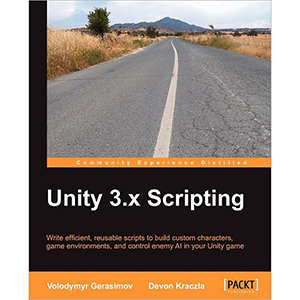 Gerasimov, V., Kraczla, D, 2012. Unity 3.x Scripting. Packt Publishing.
This book is by the same publisher as the ones by Goldstone, so I'm hoping it's going to be just as good. From what I've read, it seems to require some previous understanding of unity scripting (or at least how to start-up with unity scripting) so it may benefit me to read some of the more basic books I have found before reading this one. Chapter four, depending on exactly what I want to do may prove very helpful as it covers inventorys in unity. Other areas of interest are GUI, and AI. How much I can use may be limited form this book as it seems it makes a fps shooter, which is very far from what I'm planning to make.
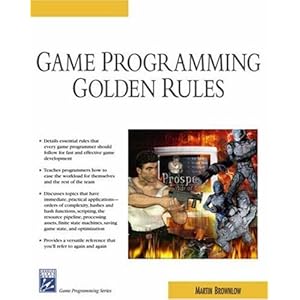
Brownlow, M., 2004.Game Programming Golden Rules.Charles River Media.
I picked up this book instantly as it seemed just what I needed. This book is full of tips for coding. unfortunately most of it is not for the languages I use and/or it is for far more complex things such as projects you code from scratch (instead of using a unity engine or other such things) I'm kind of disappointed but I'm pretty sure I can find something which will benefit me in this book.
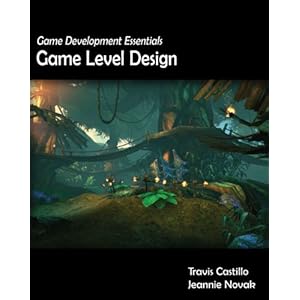 Castillo,T., Novak,J., 2008.Game Development Essentials: Game Level Design. Delmar Cengage Learning.
I got this book for my old project idea, but it covers all aspects of level design and the thought and concept progress, so although it may not be as applicable as it used to be, the early chapters (1-3) for concepting and designing should be of use.
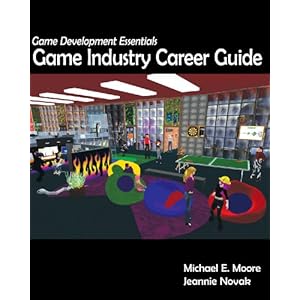 Moore, M., Novak,J., 2008.Game Development Essentials: Game Industry Career Guide. Delmar Cengage Learning.
I got this book because I was on about how I had not much of an idea of what i wanted to do when I'd finished uni and the good thing is it should be useful for whatever I decide to do for my dissertation - and perhaps improve it in the areas I need to in order to get a job.

This seems like a fantastic read which would go well, or help vastly with almost any game design project; This book as some great insight into how to make a game fun to play and how to polish a game very well. chapter 14 may also be very useful for our group project this year. Most of the book interests be including but not limited to inputs, responses, mechanics and polishing.
I think it may actually help improve my games, rather than just expand my knowledge; which I think is probably a good thing.
Adams, E. (2011) Gamasutra,The Designer's Notebook: Eight Ways To Make a Bad Tutorial [Online] Available at: http://www.gamasutra.com/view/feature/134774/the_designers_notebook_eight_.php? [Accessed: 31 October 2012].
I plan to do a game which gently eases players into several retentively new mechanics, progressing in difficulty; people always seem deluded that a good tutorial is an easy thing to do, but it clearly isn't judging by all the flash games I've played in the past. This reading should be a good guide for doing a good tutorial; or at least what not to put in a tutorial; which is a good start.
Anyway; My new dissertation proposal is a 2D rendered puzzle game in unity - The basics of the concept is to transfer "energy" (whatever it may be) from one side of the screen to the other using wires. There will be several things stopping you from doing this; the first will be the lengths of wires given to you. This means you will have to go through several "stations" along the way in order to reach your goal. the second thing stopping you will probably be "station" size or capacity; this means you'd have to split your "energy" through different stations and regroup it at the other side. Although the mechanics are a little sketchy at the moment, they are a lot more solid than what I had before. other related mechanics might be colour coded wires/stations, "energy" transformers/reducers, and other ways of transferring "energy" from one place to another.
What sets aside this idea from the other is that it is highly code based; it gives me the chance to deepen my knowledge in code while making an interesting concept and/or a game.
This concept derived from a simplification of a few mechanics that I found elsewhere;
the first was from a game called crazy machines: crazy machines is a puzzle based Rube Goldberg game; you can use pretty much anything to solve an incomplete Rube-Goldberg machine. my focus was the electrical components,as you simply drag and drop plug sockets from one place to another in order to link them. It's an interesting concept but it's a minor part of the game which hasn't been explored to its maximum potential.
 |
| Crazy Machines: Wire component of the game. |
The second spurt of inspiration was from programs that use Node editors; primarily UDK texture editor and FilterForge editor;
 |
| Example of UDK node texture editor |
 |
| Stylised version of the filter forge node editor. |
The third and final inspiration for a node game is from the flash game "tentacle wars"; the aim of tentacle wars is to manage the size of your tentacles by connecting them and fight off the opponent; the fighting is irrelevant to me, but the mechanic of dragging connections and transferring a form of energy is.
 |
| Tentacle Wars |
Anyway, this post is far bigger than I originally planned, So I'll stop otherwise nobody will read it.
Friday, 19 October 2012
Fear is only as deep as the mind allows.
I've been thinking long and hard about what I want to do for my dissertation; and I think I've honed in quite a bit from where I was before;
-----
- I want to make a Unity game (as my chosen readings may convey) this is for several reasons;
B. Unity allows creation of 3D games; I have done a lot of modelling for mods and other projects through the years (both for university and in spare time) but I don't think I've actually made a proper game.
C. Unity needs code like any other program; But I've spent most of my University life mashing buttons in Actionscript 3.0 - it would be good to expand to other languages (which unity allows for)
D. Despite my moaning, and the extra parts of the pipeline needed for 3D projects... I enjoy it considerably; I just need to know it better and get faster at doing it.
-----
- I want to make a heavily spooky themed game;
A. Spooky is fun. AND it's nearly Halloween.
B. I'd like to think I can do spooky; my pride an joy was a short Gothic-Horror story I wrote in high school - I've never been any good at putting things on paper, so when poor borderline C/D-grade Sean hands in a high-B-grade Gothic horror story; he gets pulled in for possible plagiarizing (Falsely, obviously).
C. I spent a lot of time in Themeparks when I was smaller (lol); Usually (but not always) the spooky themed rides/areas were done the best. This wasn't because random things jumped at you though - It was because of small details; The fibreglass crypts that were ajar and pouring smoke, Or finger scratches on a wall. The sudden appearance of a monster with flashing eyes was only the tiny punchline in the huge work-up before it. I believe there is a certain type of enchantment in an excellent themed work-up like that.
D. additionally to C; The best fear is the ones created by the player themselves; Michael Thomsen briefly touches on this in his article "Revival Horror: New Ideas in Fear-Making"; "The things they begin to fear most aren't the resuscitated burn victims with scissor fingers lurking in the next room, but rather some vague agglomeration of their own worst imagination. To have touched a player on the terms of their most intimate insecurities and fears, rather than forcing them into the whirligig of an auteur's invented phantoms, is one of the most delicate and rewarding achievements in game design." Thomsen(2010,p2).
-----
-----
- I want to make a first-person game which isn't a shooter.
A. There are too many Unity Shooters out there; 50% of first page here when I checked and I'm sure other places have similar stats.
B. Most horror games are shooters, and even though I want my game to be spooky and not horror, I feel the same still applies.
C. If I am carrying a highly effective killing weapon... What is there to fear?
-----
Anyway; I made a couple of test assets, testing out my skills and Unity's;
Thomsen, M. 2010. Gamsutra, Revival Horror: New Ideas in Fear-Making. [Online] Available at: http://www.gamasutra.com/view/feature/134160/revival_horror_new_ideas_in_.php [Accessed: 19 October 2012].
Anyway; I made a couple of test assets, testing out my skills and Unity's;
 |
| This is what it actually looks like on the other side of the wardrobe. (hilarious lamppost reference) |
I was thinking about different mechanics I could have; there was typical mystery/clue finding mechanics, then there was lock and key exploration... and THEN I thought that I could do an 3D avoider game.
Okay, that may need some explanation.
Basically, I was thinking about doing spooky exploration, then you suddenly (reason yet decided) start hallucinating and get taken to a strange area themed on the place you were. the area would be a simple "get from point A to B" game, but you would have to avoid hallucinations of objects in the area you were in (e.g. giant swinging grandfather clock pendulums) I'll be perfectly honest, that seems like a massive, not entirely thought out, over-scope. BUT it does sound a little further away from first person horror exploration which is basically Ross' "exploration of immersion in games" dissertation idea (found here) (which I am proud to have helped give birth to, yet don't wish to stomp on.)
Think I might need help and advice from wise people such as Rob for direction; I could spend a whole year deliberating, when all I really want to do is start making horrible, regrettable mistakes.
Thursday, 18 October 2012
Books Glorious Books!
Goldstone,W., 2009. Unity Game Development Essentials. Packt Publishing.This book looks very useful as it covers all aspects of Unity in good detail. Chapters of interest include terrain creation in chapter two (and height/light maps), HUD creation and object collection in chapter 5, particle systems in chapter seven... Actually, Yeah; I am definitely going to read through large parts of this book as I believe it provides a good groundwork of some of the main aspects of unity I may not know so much about.
Additionally, while Googling for the picture on the left, I found an Ebook called "Unity 3.x Game Development Essentials" by the same person. From what I've read, it seems to be an updated and expanded version of the book for the newer versions of unity.
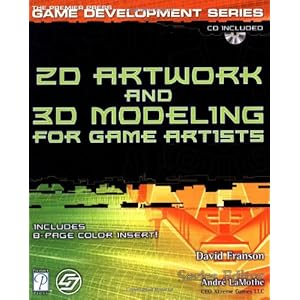
For some reason on my trip to the library I managed to pick up the thickest book they had. Despite it's size, the book is full of step by step tutorials of the pipeline of several areas of creating assets for games. Part three of the book is of great interest to me as it covers making textures for both organic and inorganic models in small steps. unfortunately, despite it's size, the book seems to cover easy things (which I'm likely to already know) in insane detail, and the more complicated things are either small "tips" or about programs or steps I would never use. After sifting through everything I'm sure I can find many interesting things I didn't know before.
 Ahearn, L., 2008. 3D Game Environments. Focal Press.
This book is very interesting; I'm a bit concerned about it's layout (it starts with optimizations to work, with complex vocabulary) and then goes into introductions. Saying that, the optimizations may come in very handy further through my project.Chapter 3 is interesting as it covers shaders and materials in good detail, and chapter 8 and 9 cover natural environments which I may touch on quite a bit in my project. the book doesn't have as much in terms of tutorials, but it focuses more on tips to make what you have look professional.
I borrowed this book from Ross temporarily (he needed it more than me and there was only one copy) this book is very good as it covers making games in unity as a whole; this means it goes from concept, to working around unity, scripting, UI, particles, music and more. I may not need some early chapters in the book, but I have a feeling I will need most of the later ones.
Monday, 15 October 2012
The Journey Begins
Welcome to my new blog covering everything there is to know about my dissertation for my third year on my computer games design course.
I have been thinking about which areas of the course I wish to explore in greater detail or embark into for this year of work. It seems stupid that for a project I can practically do anything about (within reason) is the most difficult to decide what to do, simply because of the sheer amount of choice available, and the breadth of the skill-set I seem to have acquired over the past two years.
The obvious choice to make would be to do a code-based dissertation project, as this is one of the areas I have expanded upon the most throughout the course. I have spent considerable time improving my skills at Actionscript 3.0, to a point where I am quite proficient in using it; Doing a project in Actionscript 3.0 for the third year would be turning over the same stones yet again, and wouldn't really be utilising or expanding my knowledge as much as I could (although I haven't ruled out re-thinking my complex/broken node/number based game I came up with a while back).
Anyway, the simple fact is, that although I enjoy the accomplishment of some working code after a few hours of working on it, I really don't want to spend the whole of the third year staring into the matrix; that's just not fun or enjoyable, and possibly quite demoralising.
 |
| This is what I see. |
I have quite enjoyed modelling throughout the years, and I'd like to think I've gotten quite good at the geometric side of it; unfortunately my texturing and UV mapping skills aren't that great at the moment which is something which I'd like to improve on. I did think about modelling, rigging, UV mapping texturing and animating a character and implementing it into UDK. in short, this task was advised to be too big (I think I'm glad at this point) and that I'd use my time better if I explored a more simple program I already knew of more fully (rather than a tiny bit of a hugely complex program)
Then I came up with an idea of creating a game in Unity - Unity is less complex, relatively new to me, but becoming increasingly popular on-line against flash gaming. Creating a game in Unity requires many skills; which include modelling, texturing and coding, which are the main areas I wanted to broaden/improve/deepen.
As for the distinct direction or focus of my dissertation/unity game... I'm still deciding EXACTLY what that is I have a feeling readings might help.
Subscribe to:
Comments (Atom)